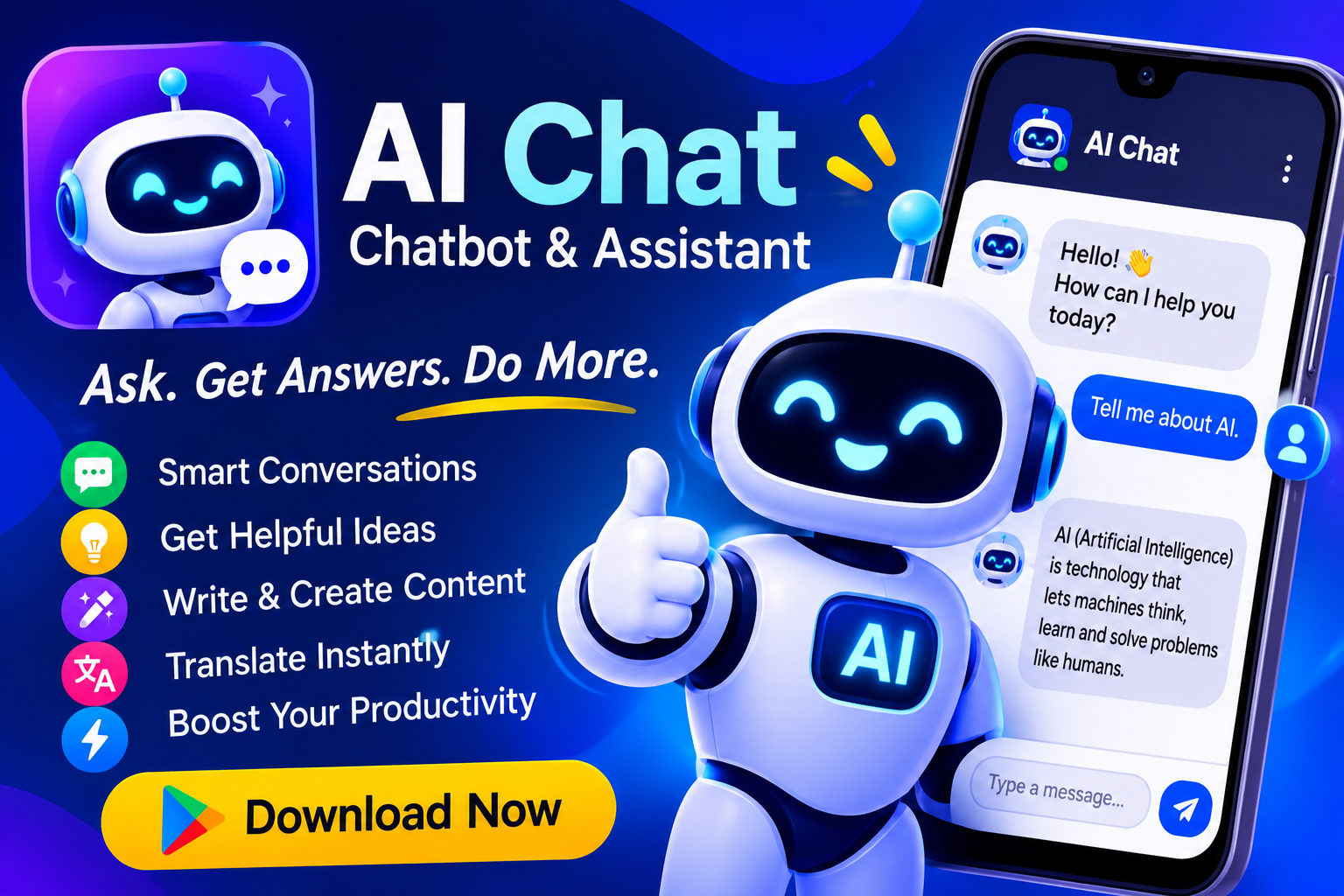
The Google Play Store is crowded with AI chatbot apps, and most of them make the same promise: one app to replace your writing tools, your grammar checker, your image generator, and your research assistant. AI Chat: Chatbot & Assistant, developed by Starnest JSC, is one of the more ambitious entries in that category. It bundles a chatbot with a surprisingly long list of peripheral features — image generation, PDF analysis, an AI keyboard, an email assistant, and more — into a single Android package. On paper, that's a lot of value. In practice, the picture is more nuanced, and that's exactly what this post unpacks.
What the App Actually Offers
Reading through the store listing, AI Chat positions itself as a productivity hub rather than a simple chat window. The core pitch is an AI writing and productivity assistant built on "advanced AI models," with the chatbot serving as the entry point to a broader toolset. The feature list is genuinely broad:
- AI image generator for creating visuals on demand
- Image upload and Q&A, so you can ask questions about a photo and get contextual answers
- PDF upload and analysis for summarizing, extracting, and interpreting long documents
- An AI smart keyboard with grammar detection, translation, and synonym suggestions
- An email assistant with templates and tone optimization
- Grammar checking with explanations, not just corrections
- Text recognition (OCR) to pull text out of images and documents
- Expert-style chat across domains like content creation, science, travel, interviews, finance, and writing
That's a legitimate feature matrix for a productivity app, and it maps closely to what many users actually want from AI on mobile: help drafting, help fixing, help understanding.
The Strongest Use Cases
Where this app makes the most sense is in document-heavy, text-heavy workflows. The PDF feature is a good example. Instead of scrolling through a forty-page report, you can upload it and ask for a summary or a specific data point. The image Q&A feature works similarly — upload a screenshot or photo, ask what's in it, and get a contextual response. These are the kinds of tasks where a mobile AI assistant genuinely saves time, because doing them manually on a phone is painful.
The AI keyboard is another practical addition. Grammar detection, instant translation, and synonym suggestions are the sort of low-friction utilities that earn a permanent spot on your keyboard. And the text recognition feature addresses a real annoyance: retyping content from images or scanned documents. For students, content creators, and anyone who works across languages, these tools cover a lot of daily ground.
Where the App Gets Criticized
The user reviews tell a more complicated story, and it's worth taking them seriously. With roughly 89,700 ratings, the app has visibility, but the visible reviews skew negative in ways that point to structural issues rather than one-off bugs.
- "Just a wrapper" perception. One reviewer described the experience as mediocre, suggesting the app functions largely as a proxy or front-end for other AI services rather than a genuinely original product.
- Aggressive monetization. Another reviewer complained that the feature list is dizzying but that "every single one is paid," questioning why the app charges when the underlying official services don't.
- Limited depth in creative tasks. A third reviewer noted that scriptwriting, for instance, doesn't work well and that conversations feel too short — a sign that the chat experience may be capped or shallow compared to dedicated chatbot apps.
These are fair points to weigh before installing, especially if you're comparing the app against free alternatives from major AI providers.
Data and Privacy: What the Listing Says
The data safety section is worth reading carefully, because it's slightly contradictory at first glance. The listing states that the app may share personal information with third parties, while also claiming it doesn't collect any data. It notes that data is encrypted in transit, but also that data cannot be deleted. For a productivity app that handles your emails, documents, and PDFs, that combination deserves attention. If you're planning to paste sensitive work content into any AI assistant, this is the kind of disclosure you should factor into your decision — not just for this app, but for every one in the category.
The Monetization Reality
The review complaints about paywalls aren't unusual for this genre, but they're worth spelling out. AI features are expensive to run, and apps that bundle many of them typically gate the good stuff behind a subscription. The practical takeaway: treat the feature list as a menu, not a promise. Before committing, check which tools are free, which are limited, and which require payment. If your main need is a chatbot, a dedicated free chatbot app will likely serve you better. If your need is a Swiss-army-knife toolkit — OCR, PDF Q&A, grammar, translation — a bundled app can be worth the cost, provided the paid tier delivers on the basics.
Who Should Install It — and Who Shouldn't
This app fits a specific profile. It's a reasonable choice if you:
- Work with PDFs and images regularly and want quick mobile analysis
- Need translation, grammar, and OCR in one place rather than three separate apps
- Want a single lightweight hub for drafting emails and short-form writing on your phone
It's probably not the right fit if you:
- Want a deep, long-context chatbot for complex creative work like screenwriting
- Prefer free, first-party AI tools from major providers
- Handle sensitive documents and need clear data-deletion guarantees
- Expect a fully free experience — the reviews suggest otherwise
The Bottom Line
AI Chat: Chatbot & Assistant is a feature-rich Android app that tries to be a one-stop AI productivity suite, and in several areas — PDF analysis, image Q&A, OCR, and keyboard assistance — it delivers genuinely useful functionality. But the store listing's grand promises are tempered by real user complaints about paywalls, shallow chat depth, and a "wrapper" feel, plus a data-safety disclosure that deserves a careful read. The smart approach is to install it with clear expectations: use it as a utility toolkit for text and document tasks, verify what's free before subscribing, and keep sensitive content out of any AI app whose deletion policies you can't confirm. If that matches how you work, it's worth a trial run. If you need a serious conversational AI, keep looking — or keep both.